Overload Fitness Design System
Creating a cohesive design system for Overload Fitness
A comprehensive design system created in Figma, featuring reusable components, design tokens, color modes, slots, and detailed guidelines for consistent UI and UX.
Designer
Overload Fitness
01
SkipTokens
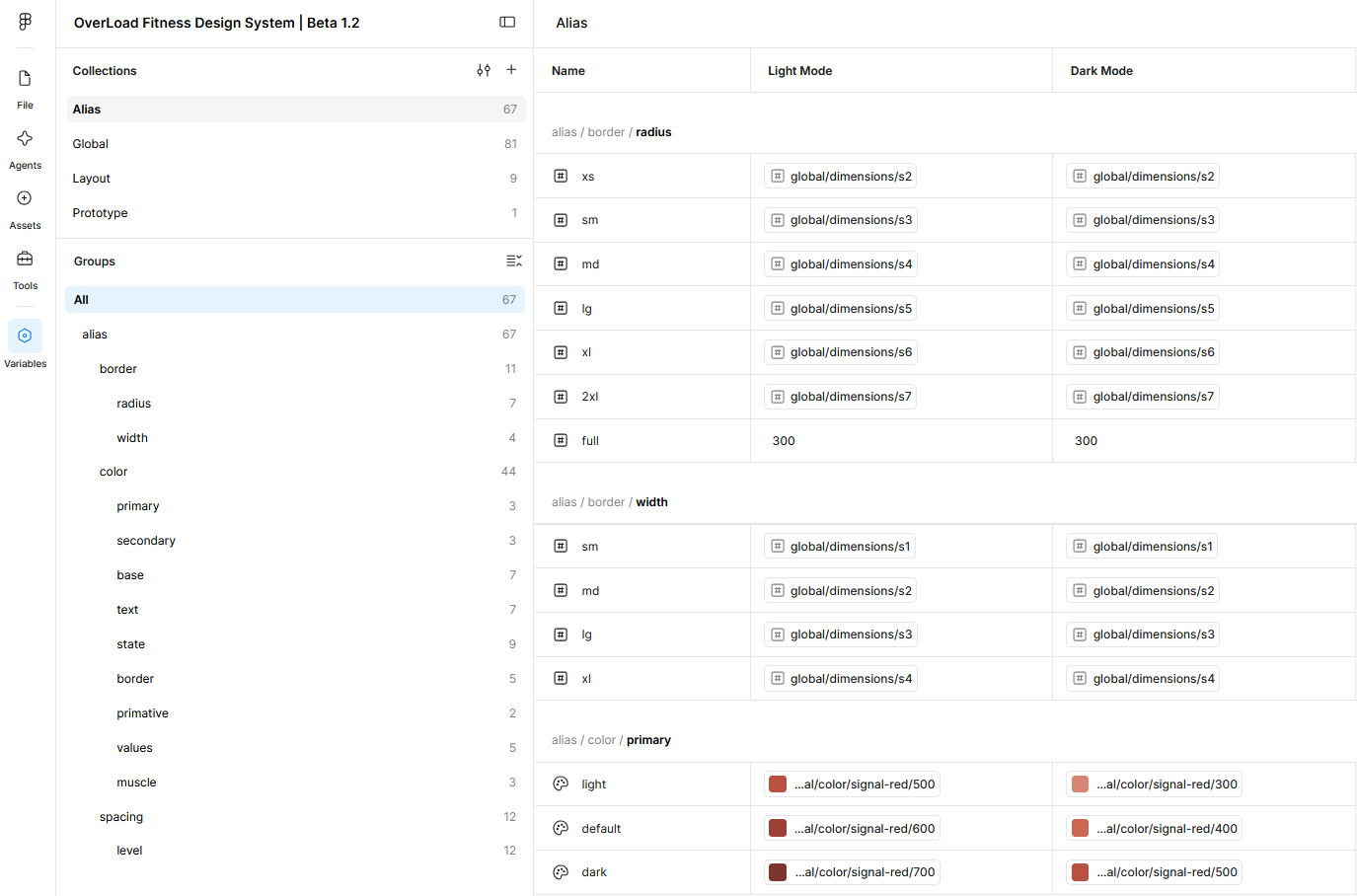
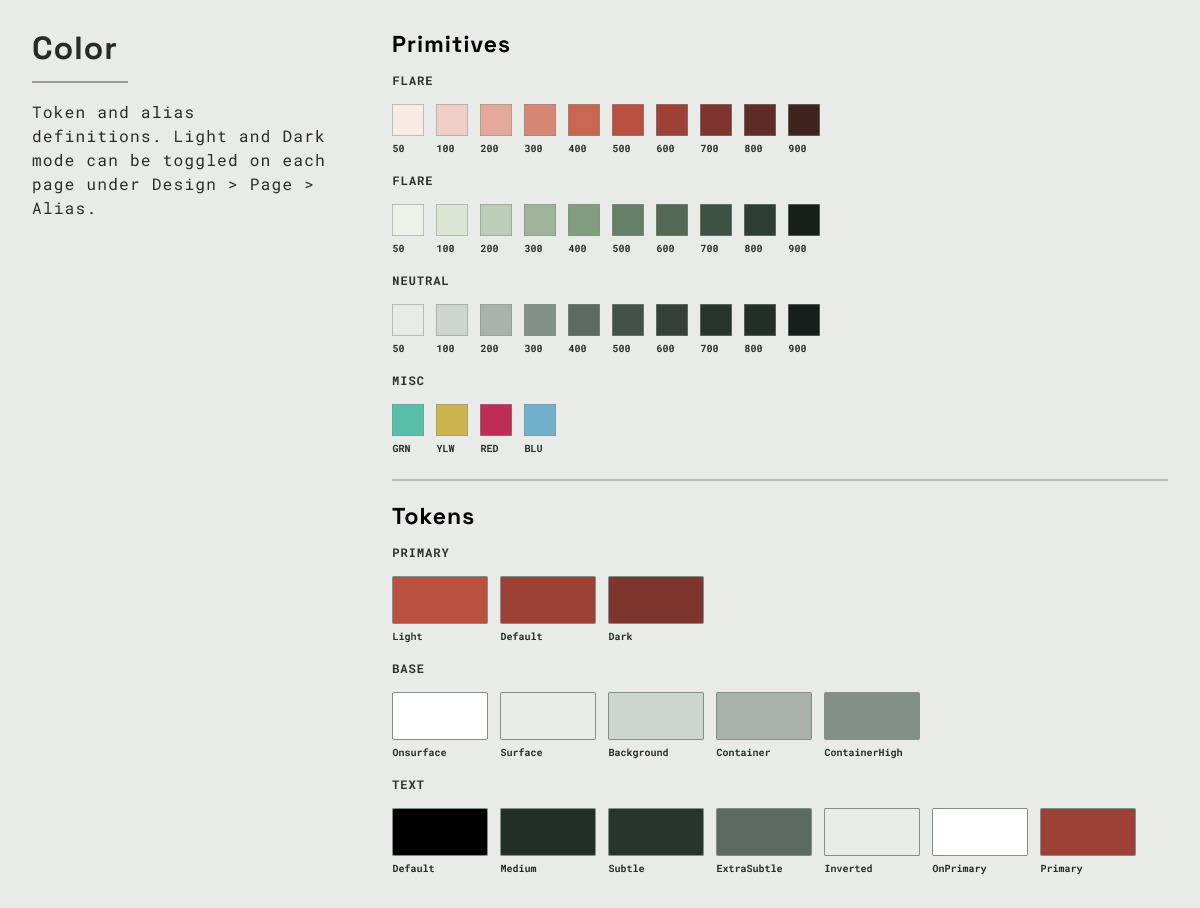
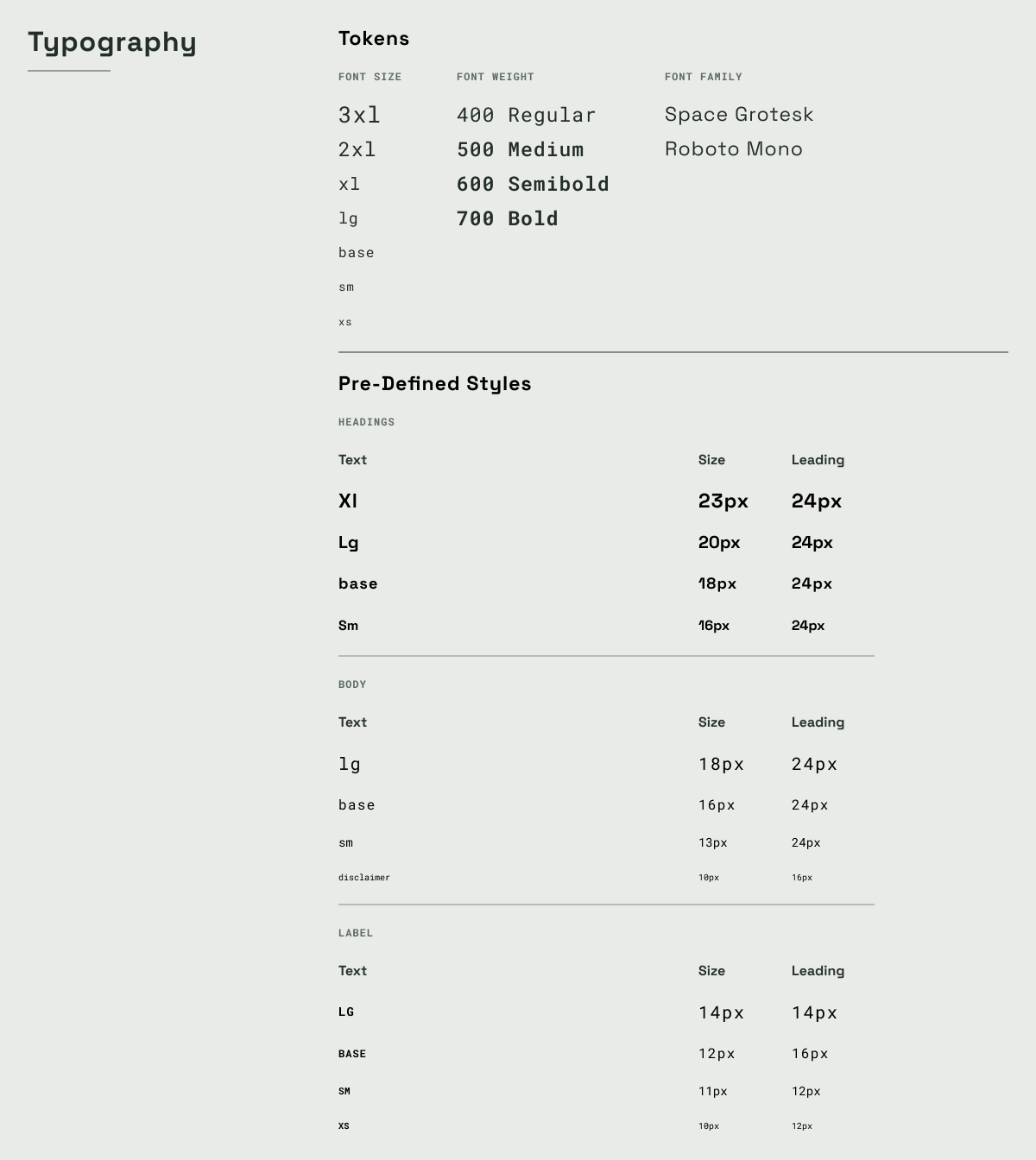
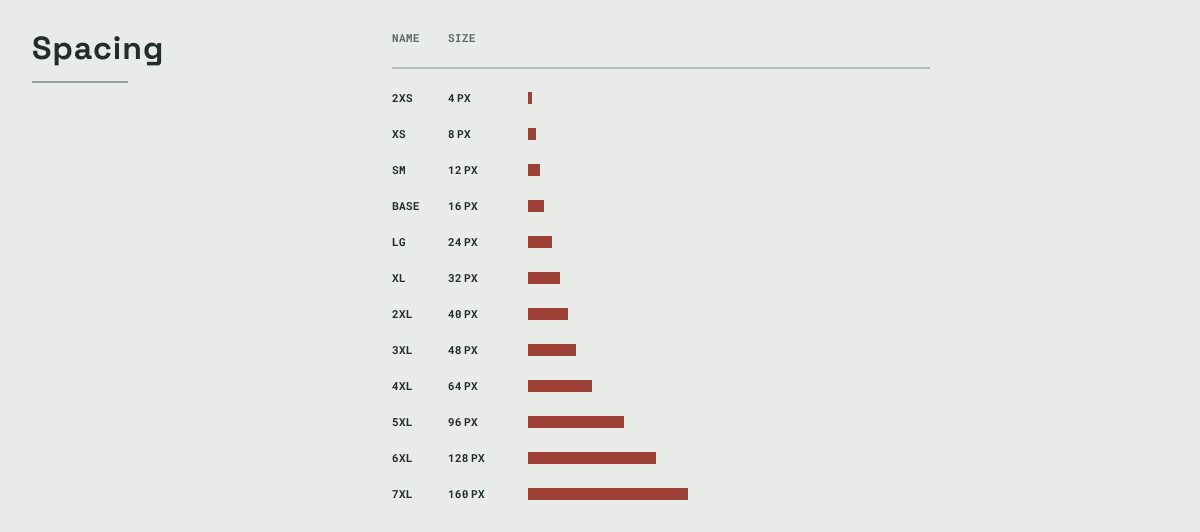
Design tokens were created to standardize colors, typography, spacing, and other design elements, ensuring a cohesive look and feel throughout the product. Alias tokens were used to create flexible and maintainable design rules and color themes. These semantic design tokens were translated to Nativewind and Tailwind classes for consistent implementation in the codebase.

02
SkipComponents
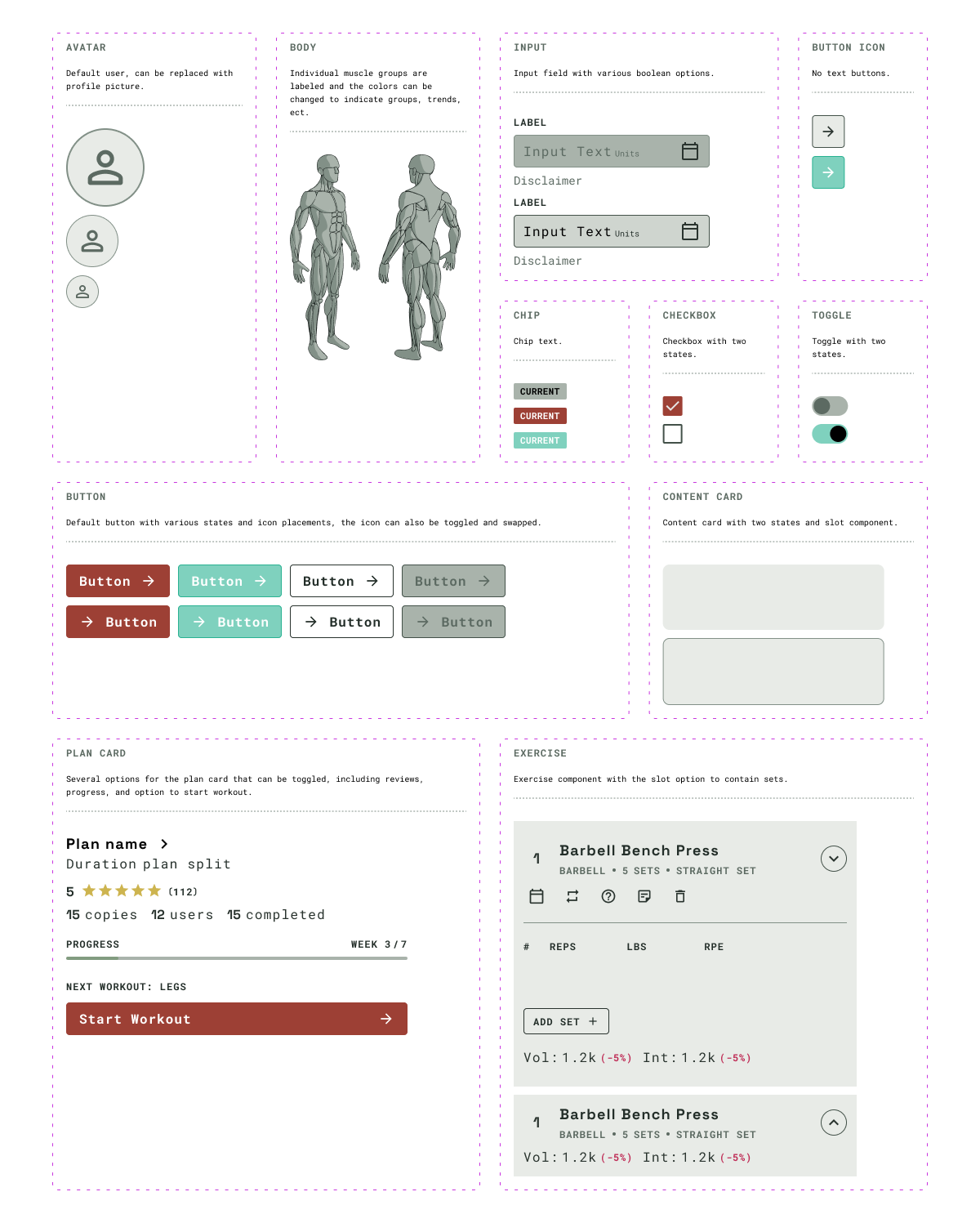
50+ components were created, each featuring auto layout and design variables for consistent and speedy implementation. Slot components were heavily utilized to reduce variation count.
Component deep dive
Exercise component
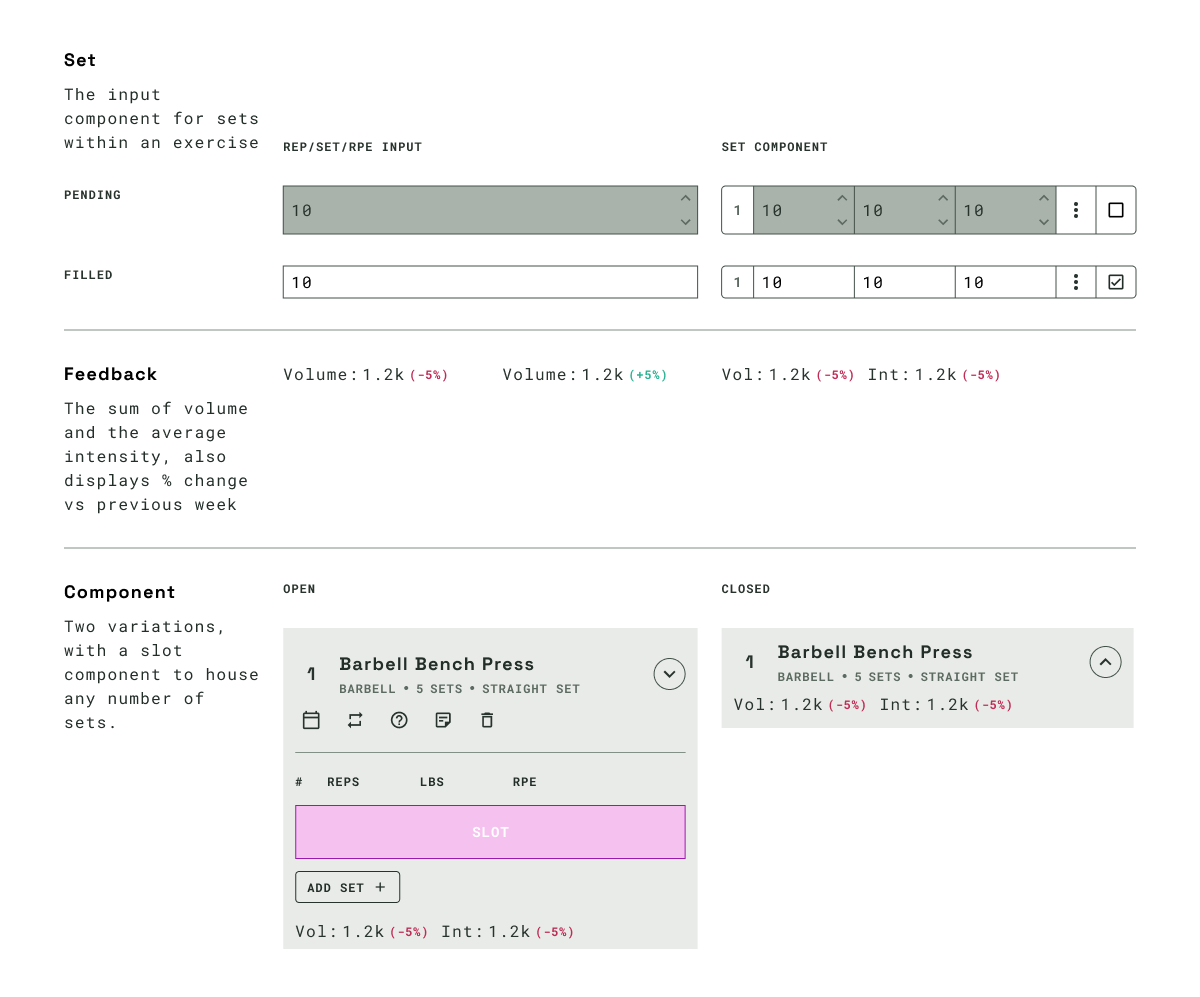
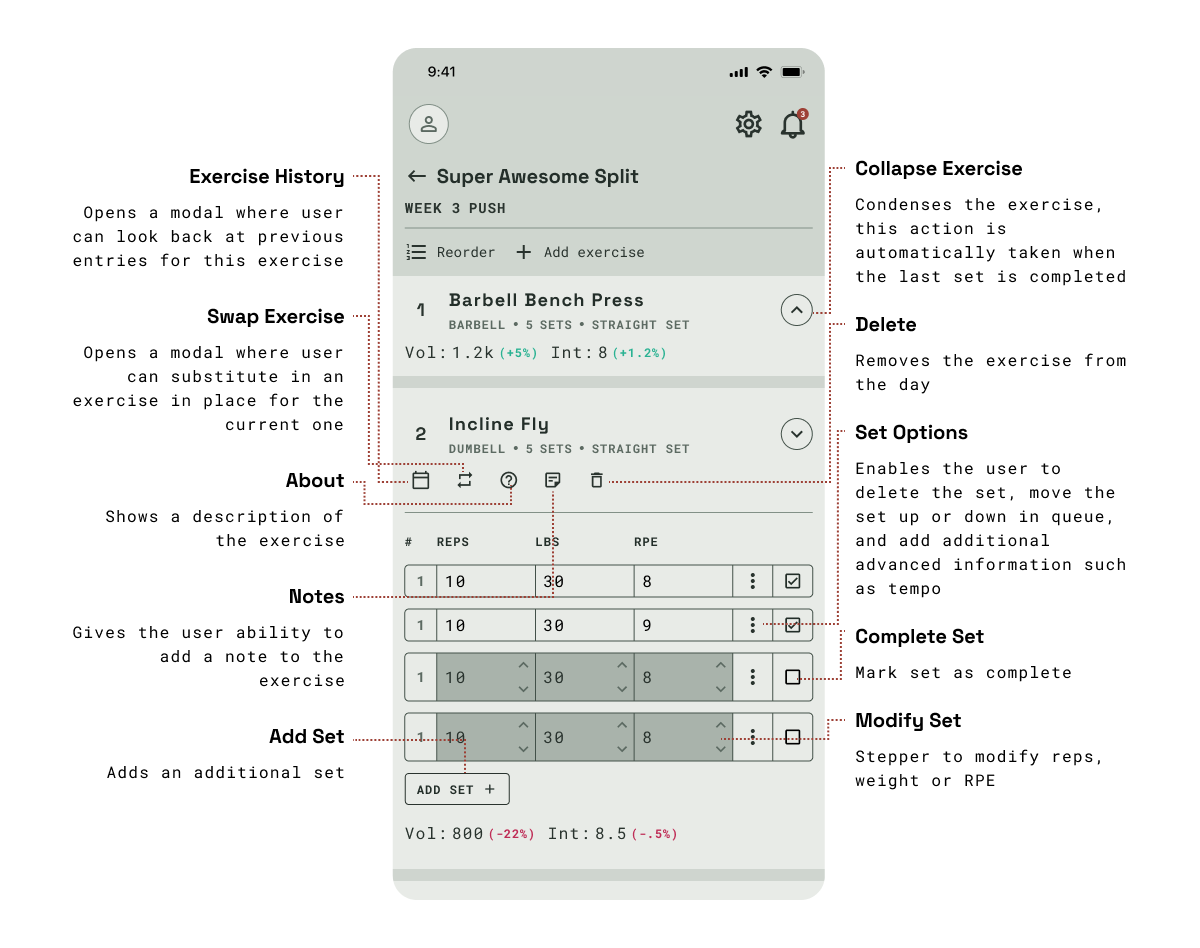
The exercise component is a core component in the user experience, building exercise hierarchy and allowing the user to log individual sets and compare these to previous weeks. The exercise component contains the exercise name, type and equipment used. It also contains a slot component to house individual set components.
Reducing variation count
By utilizing slot components and design variables, we were able to significantly reduce the number of variations needed for each component, streamlining the design process and ensuring consistency across the system.
Frontend Props
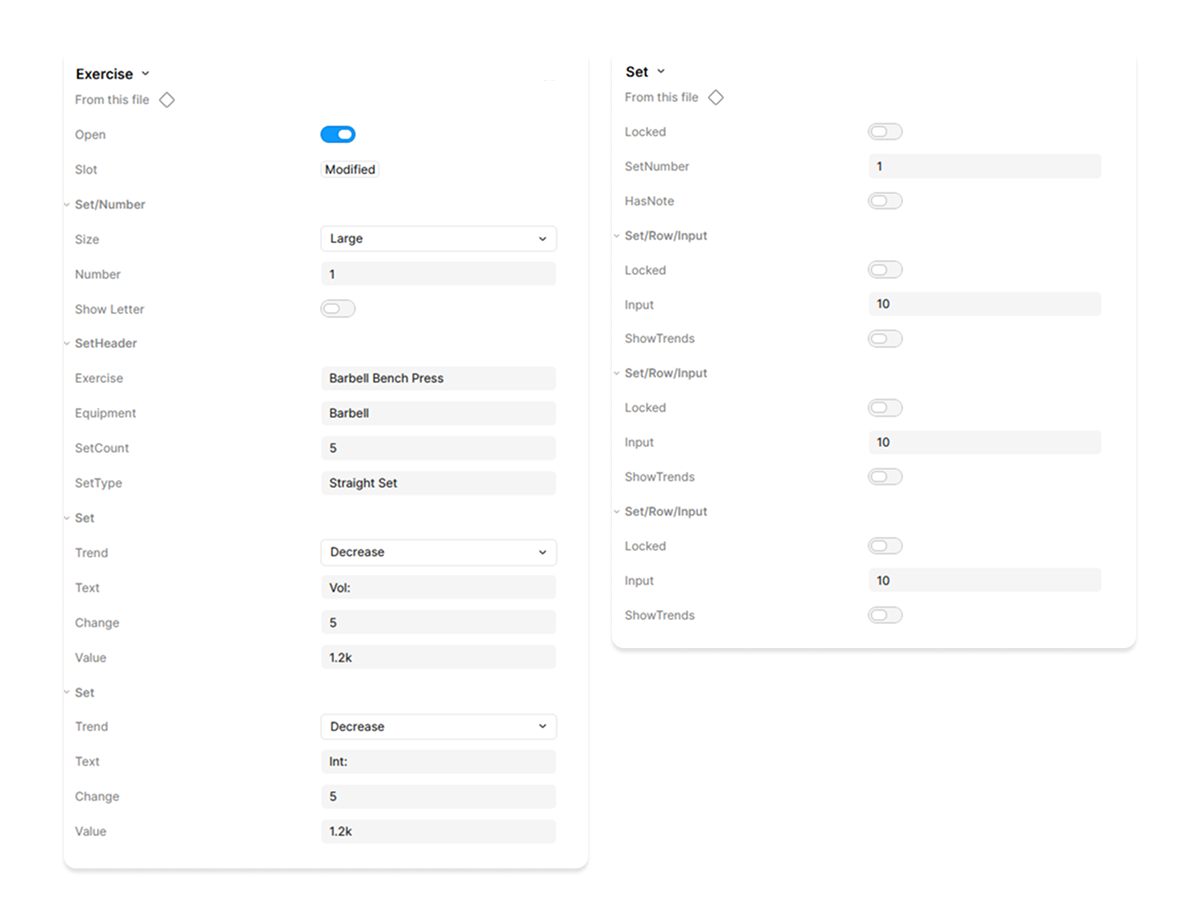
The variables that can be modified within Figma for the exercise and individual sets are 1:1 with the props to pass to the components in the frontend, ensuring smooth design-to-development handoff.
Actions
The user needs access to a large number of actions to modify both the exercise and the sets within it, including swapping the exercise and adding notes.
03
Layout and prototype
Integrated the design system into existing products and collaborated with developers for smooth adoption.
Device component
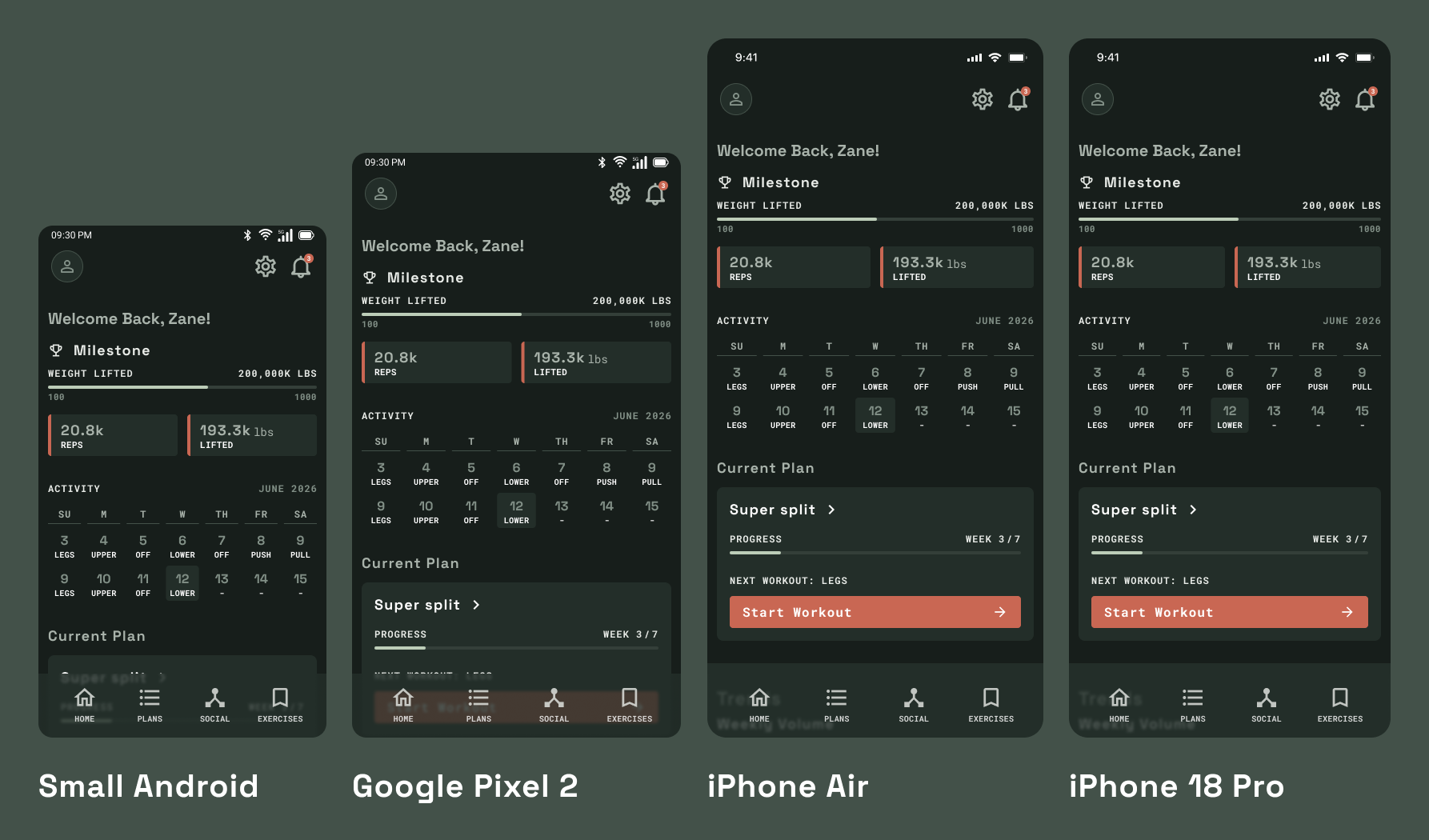
Two components were created, one for Android and one for iPhone, to represent the device within the design system, allowing for consistent usage and easy updates. By changing the width and height of each component, the device representation can be easily adjusted to showcase how screens will appear on different devices.
States
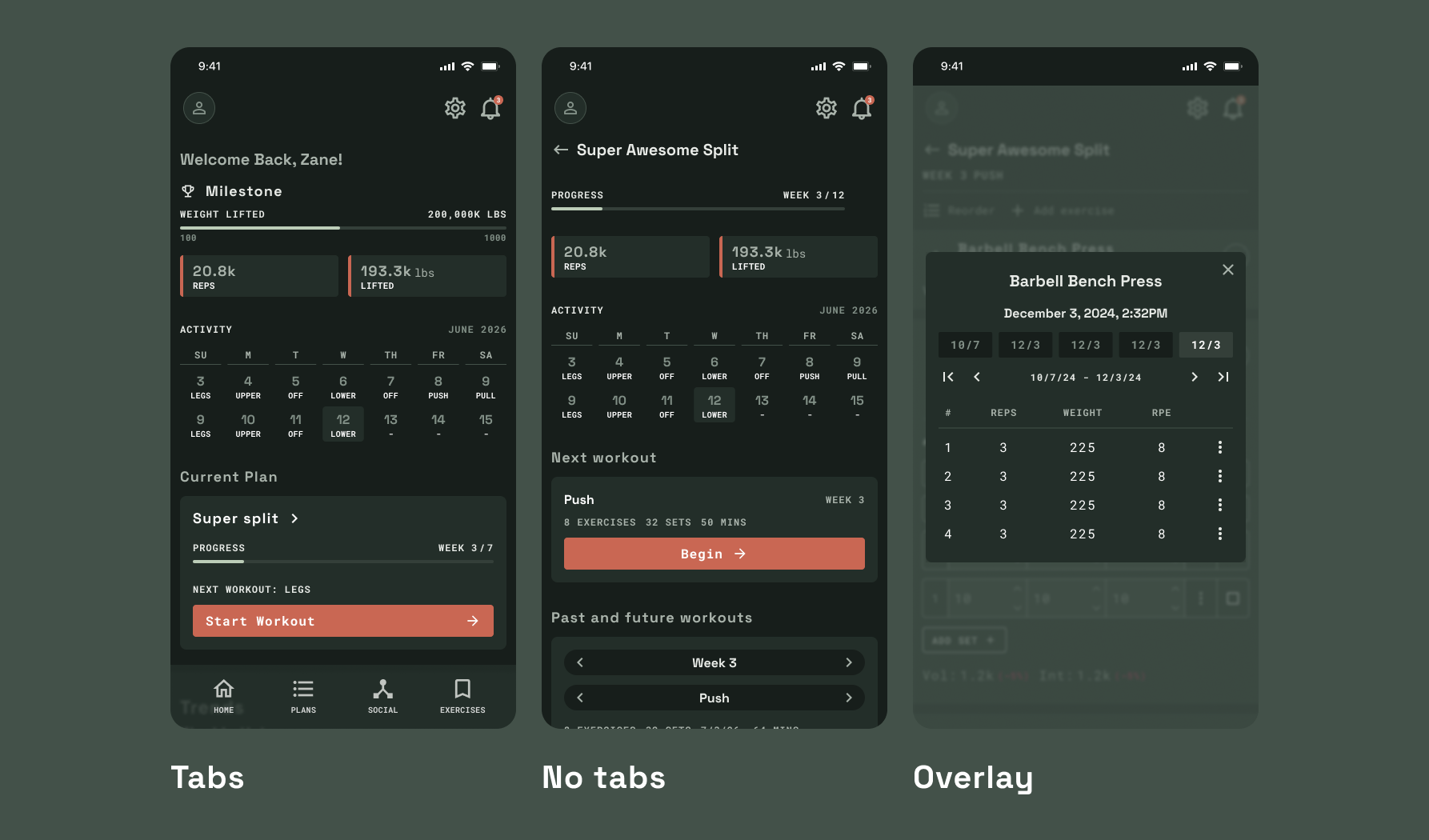
Each device has its own props, allowing the screen to showcase different states and variations depending on the device type.
More projects
HomeKardia.com path-to-purchase
Optimizing the user journey on kardia.com
Puck Analytics
NHL data pipeline & visualization platform
Breatheasy
An interactive experience for children undergoing anesthesia